Ask ChatGPT about a restaurant now and you often get more than text. You get a picture. Perplexity shows a row of image thumbnails. Google’s AI answers pull in photos too. As AI becomes the way people check out a business before they visit, that image is doing real work.
So it’s worth asking: when AI shows a photo of your business, is it good? For most small businesses the honest answer is often no. It’s a stock image, a shot lifted from a third-party listing, a competitor’s, or completely out of date.
How AI actually finds images
This part surprises people. On the open web, AI assistants mostly don’t “look at” your photos the way you would. Running vision over every image on every page would be far too slow and expensive at their scale. Instead, AI understands an image through the words around it: the description, the alt text, the file name, the copy next to it, and the structured data on the page. Then it pulls images from the search sources it already trusts and is allowed to crawl.
Two things follow. A photo with no description is close to invisible, however good it looks. And where the photo lives matters: an image AI can only find on Yelp or a blog gets credited to and controlled by Yelp or another third party, not you.
Why small businesses lose the picture
Most small businesses have great photos. They’re just in the wrong place, in the wrong shape for AI.
The best shots sit on Instagram, a camera roll, or a website where they’re not available or set up for AI discovery. On the business’s own website, images usually have no alt text, file names like IMG_0042.jpg, and nothing telling AI what they show. Some are stuck behind booking widgets or load in ways crawlers never see. Stock or AI-generated images make it worse, because people can tell, and increasingly so can AI.
The result is a gap. There’s no clean, machine-readable source that says “these are this business’s real photos, and here’s what each one is.” So AI fills the space with whatever it can find.
What Media Library does
Media Library closes that gap, and it mostly runs itself.
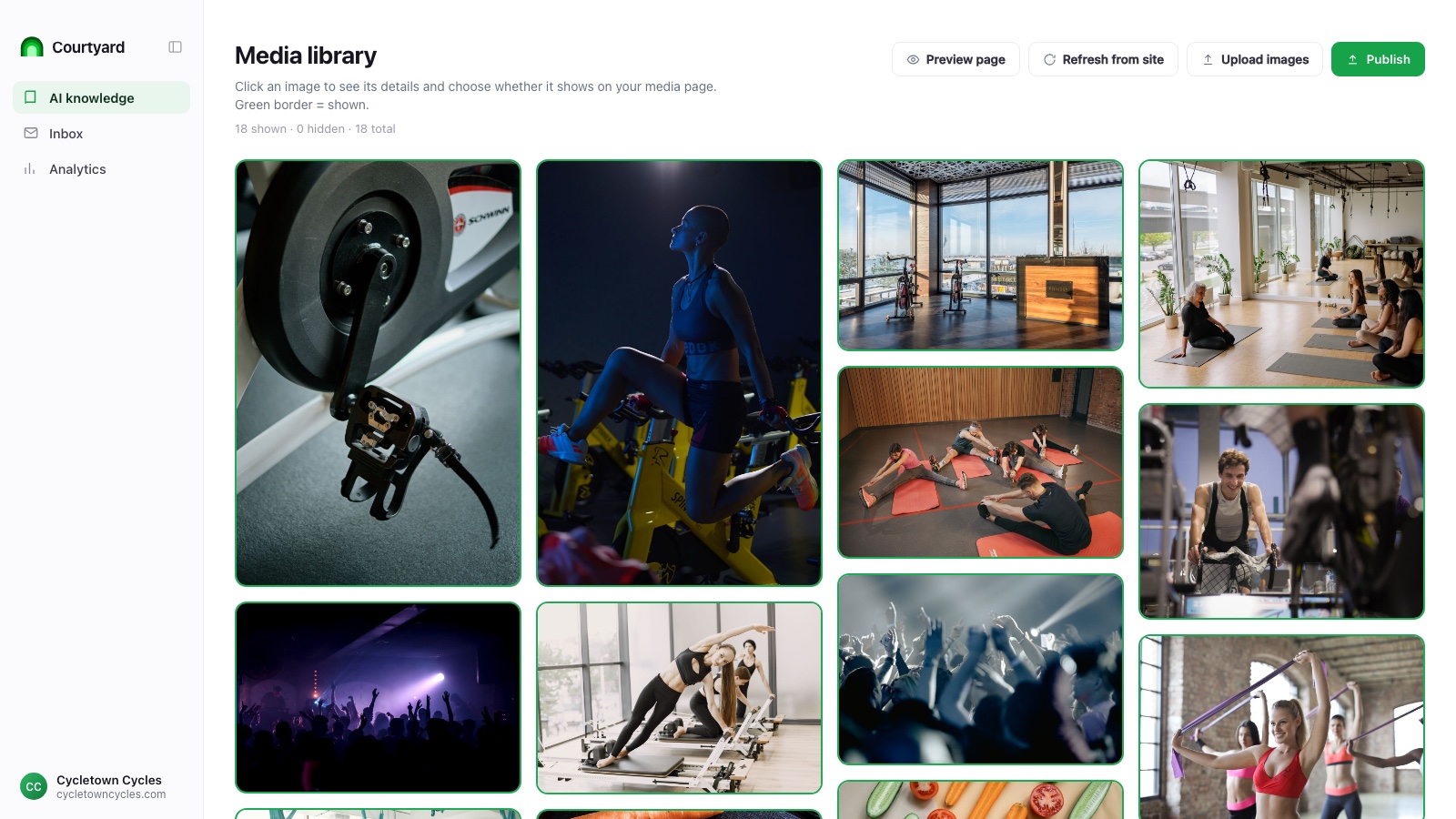
When you set up Courtyard, it finds the real photos already on your website, filters out clutter like dividers, spacers, and tracking pixels, and removes duplicates. For every photo that’s left, it writes what AI needs to understand it: a clear category, a factual description of what’s actually in the shot, alt text, and a set of tags. That’s the exact text envelope AI reads an image through, generated for you.
You stay in control. Review the library, hide anything you don’t want public, fix a description, or add your own photos. Upload them, or just forward them to Courtyard by email and approve what comes back. A “refresh from site” button pulls in anything new you’ve published.
Then Courtyard publishes your photos where AI actually looks: on your own AI knowledge base, as clean, described images. They flow into the same places the rest of your business information does.
Why it matters
When someone asks an assistant about your business and a photo comes back, it should be the real room, the right dish, the current floorplan, described accurately and attributed to you, not a stock photo or a guess.
Photos have always been a key part of how a customer decides a business is right for them. That decision is increasingly happening inside an AI answer.